The backup finished. The log said success. That is not the same as having the file.
I see this more than I see clever attacks. A shop has a job that runs at night. A cloud folder looks full. Somebody has been paying for storage for years. Then a laptop dies, or a folder gets emptied, or a person leaves, and the question is suddenly practical: can you get last Tuesday back? Not “is there a backup.” Last Tuesday. A real file, on a real machine, in a useful amount of time.
I copy files every night. The copies go to OneDrive and to Proton Drive. Two vendors, off the machine. That is a real design. It is still not a restore.
What I actually run
Obsidian Sync is in the mix too. I will say that before someone writes in. It is a good tool. The vault I work in shows up on every machine I use, and by default the notes leave the device already encrypted — Obsidian cannot read them. Version history will even hand back a note I wrecked last week. I like it. It is not a backup.
Sync is the living copy. Delete a file and the deletion travels. Sync’s history can undo it for a while, but only for a while, and only if someone notices. The laptop and the cloud are the same thing wearing two hats. Treat that as the off-site copy and you have one copy, moving in lockstep.
The nightly job is different. It makes copies and sends them somewhere else. OneDrive is one of those somewheres. Proton Drive is the other.
OneDrive is encrypted in transit and at rest. I use it. I am a Microsoft Partner, and a lot of the shops I sit with already live in that tenant. A destination in OneDrive is a real off-site copy. It is not the working folder pretending to be a vault. The working folder will copy the deletion and the ransomware along with the files. OneDrive’s version history can claw some of that back, for a limited time, but that’s a safety net, not a second copy. A separate copy, on a schedule, is the point.
The difference worth naming is who holds the keys. A tenant admin, or a lawful demand, can still reach what sits in OneDrive. That is not an insult. It is how the product is built.
Proton Drive is the second destination for that reason. The files are encrypted on the machine before they leave. Proton stores ciphertext. They cannot open the backup. They cannot read the file names. That is their design, and it is why the job goes there as well as to OneDrive.
The other side of the same fact: if I lose the Proton password and the recovery, Proton cannot get the files back for me either. Zero-access cuts both ways. Encrypted is not magic. It is a lock whose key I have to keep.
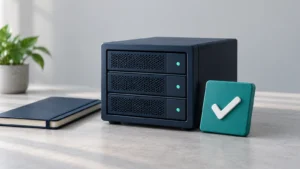
Two green checks, two vendors, one of them blind to the contents. That is the stack. It is still not last Tuesday until I pull a file out.
The part the log does not do
A restore is a test you run on purpose. Not a disaster. A Tuesday.
Pick one thing that would actually hurt to lose. A spreadsheet. A mailbox. The folder that is the business. Restore it to a different place than the original, so you do not paper over a hole. Open it. See if it is last Tuesday or last year or a pile of files that will not mount.
Time it. Write down what broke. The password manager nobody else can open. The encryption key that lives on the laptop you just lost. The backup that completed every night against a folder you stopped using in March.
I am not going to dress this up as ransomware cinema. Most of the failure I see is quieter than that. The job ran. The dashboard was green. Nobody had ever asked the copy to give a file back. Green is the easy part. Green is what the software is built to show you.
If the restore takes a day, you learned something while you still had a choice. If it fails, you learned it while the originals still exist. That is the whole virtue of doing it now.
What I would want a 12-person shop to do this week
You do not need a new product. You need to know what you already have.
Is the cloud folder the working copy, or a copy? If it is the working copy, a second destination on a schedule is the next honest step — not another sync of the same files.
Can more than one person restore it? The person who knows the password will be on vacation the week you need the file. That is not a joke. That is the usual week.
If one of the copies is encrypted so the vendor cannot read it, who holds the password and the recovery, and where do those live when the laptop is gone?
Then restore one file. One. Last Tuesday. If you cannot, the log was complimenting itself.
I copy every night. I am not writing this from a pedestal. I am writing it because a successful job is a comforting sentence, and I have watched that sentence survive right up to the morning it was tested.
Could you get last Tuesday back? If you have not tried, you do not know.