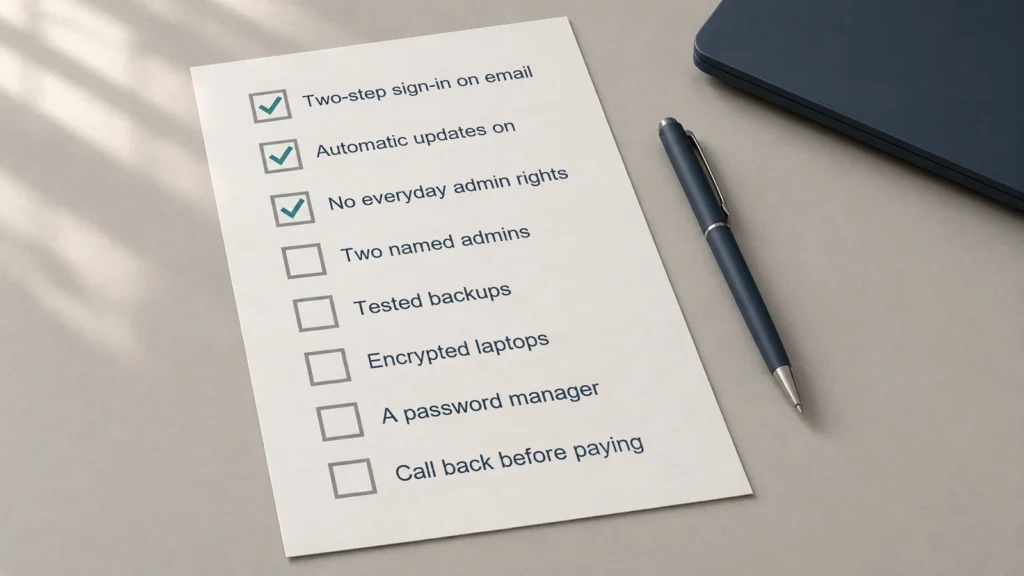
Most small business owners don’t want a seminar, or a forty-page policy nobody reads. They want the list: the things to do, in order, so they can stop worrying about the ones that matter.
This is that list. It’s written for a shop of about a dozen people, but it works for five or fifty. You don’t need a security budget to finish it. You need an afternoon here and there, and somebody willing to own each item.
Print it. Put a name next to each line. Check the boxes.
The list
☐ 1. Turn on two-step sign-in for email, starting with the admins. If you only do one thing, do this one. Email is the key to everything else, because it’s where password resets go. Start with whoever has admin rights, then everyone else, and make it required, not optional. If your system offers passkeys or a security key, use them; they resist phishing in a way codes and prompts don’t. If it uses phone prompts, turn on number matching, so nobody can approve a sign-in just to make the prompts stop.
☐ 2. Let updates happen. Turn on automatic updates for Windows, macOS, phones, browsers and the website. The most common way attackers got in last year, where anyone could tell how, was by exploiting a flaw in software. Updates are boring. That’s the point. If something can’t update itself, put a name and a monthly date next to it.
☐ 3. Take away everyday admin rights. People should do their daily work in an ordinary account, not an administrator one. When someone needs to install something, they ask, and the admin does it. It’s a small inconvenience, and it makes it much harder for anything malicious to dig itself in. CISA recommends it for every small business.
☐ 4. Know who your admins are, and keep it to two. Write down who can change settings on email, the website, the bank, the domain name and the computers. One person is a risk: they get sick, quit or go on vacation. Five is a different risk. Two named people is about right. And when someone leaves the business, their access leaves the same day.
☐ 5. Back up, and test the backup. Have a copy of your important files that lives somewhere other than the working copy, on a schedule. Then pull one file back out to prove it works. A backup that has never been restored is a hope, not a backup. (I wrote a whole post about this: The Backup That Says Success and Restores Nothing.)
☐ 6. Encrypt the laptops. Turn on BitLocker on Windows laptops (on Windows Home it’s called Device encryption) and FileVault on Macs. If a laptop is stolen from a car, encryption is the difference between losing a machine and losing every file on it. Save the recovery key somewhere that isn’t the laptop.
☐ 7. Use a password manager, and stop sharing passwords by text. One good password manager for the business, with shared folders for the accounts people really do share. No more passwords in spreadsheets, on sticky notes, or in group chats.
☐ 8. Agree on one rule for money. Any request to change bank details, send a payment, or buy gift cards gets checked by calling a number you already had before the request arrived. Not the number in the email. Tell everyone this rule out loud, before December. (More on why in Holiday Scams Aimed at the Back Office.)
What’s not on the list
You’ll notice “buy antivirus” isn’t here. That’s on purpose. Current Windows and Mac computers already include solid protection; the job is making sure it’s switched on. (Do You Still Need Antivirus? goes into that.)
Fancy firewalls aren’t here either, and neither is a security awareness course. They have their place. But every item above closes a door attackers really use, and none of them costs much more than attention.
How to actually finish it
Don’t try to do all eight this week. Pick one a week. In two months you’re done.
And put the date on the page when you finish it. Next year, do it again. Things drift. People join and leave. The list doesn’t change much, but your answers will.